Troubleshooting
Eventl is designed to run entirely off-line if required, and also to handle the intermittent data connections that we are all accustomed to onsite.
However, it is useful to be aware of your network status during the live session - to that end we have created these indicators in the top-right corner of the interface window.
Each indicator shows red if a connection has failed, or green when the network is reachable. Each indicator relates to a different part of the Eventl network setup.
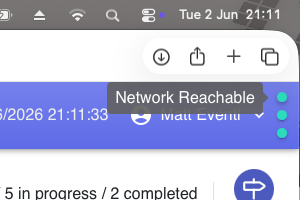
The top indicator relates to your network connectivity - this means that you are connected to the outside world.
You need to be connected to a network in order to make changes to an existing event (such as allocating users or uploading categories), but once you have an event in Live Mode (and you are running just a single-user) you could in principle run the event with no network connection.
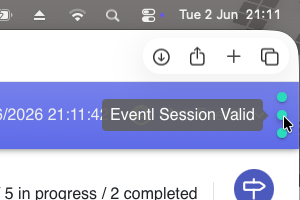 Middle shows that your are logged-in to Eventl and have a valid user-session. If the indicator changes to red, you have been logged out of your active session (we log users out automatically after a period of inactivity for security reasons) - click the red indicator to force a new login window to pop up.
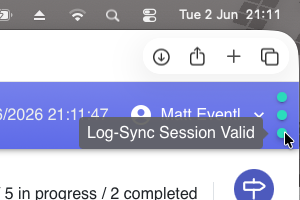 The bottom indicator shows that your are currently fully synchronised - that means you are seeing the most up-tp-date version of the log, and everything on your screen is being backed up to the online server automatically.
If you have multiple users, all showing three green dots, then everyone will be seeing the current live data and all updates in any direction will appear on all screens within a few seconds of being updated.
If the bottom indicator is red while you are still logged-in to an event, then your machine becomes the only place that the current data is stored.
If you have an active network connection, refreshing your browser will force a new sync (your machine's cache is copied across to the live server).
If you do not have an active network connection, you can continue to work, but be aware that you have the only copy of the data, and you shold aim to get back online as soon as possible in order to preserve the off-site backup.