Post-Event Mode
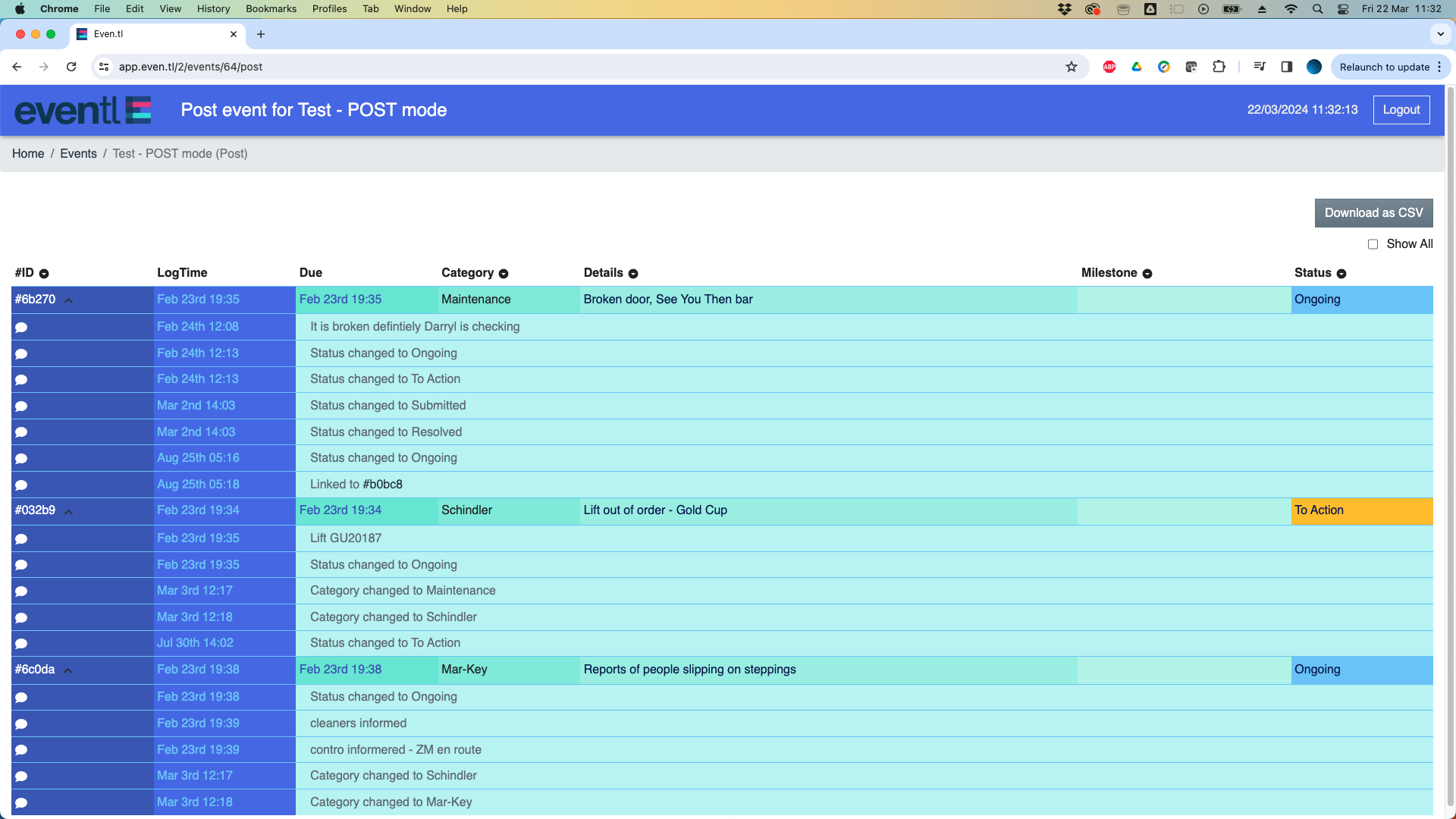 At the end of the event, it is advisable to move to post-event mode in the app (see ‘Switching between modes’).
Switching to post-event mode has 2 functions:
- Complete record locking - no more records can be added changed or deleted in post-event mode.
- You can still view, filter, search and print as normal
- Post-event report - any users listed in the Event Info window will automatically receive a .pdf version of the post-event report as soon as the event is move into post mode.
- Users can also download a copy of the report or output the basic data set as a .csv file for further analysis outside of the system.
In the roadmap we will be adding a range of report types and also access to the full data set (geo-tags, time-stamps, images etc)