Create your first log
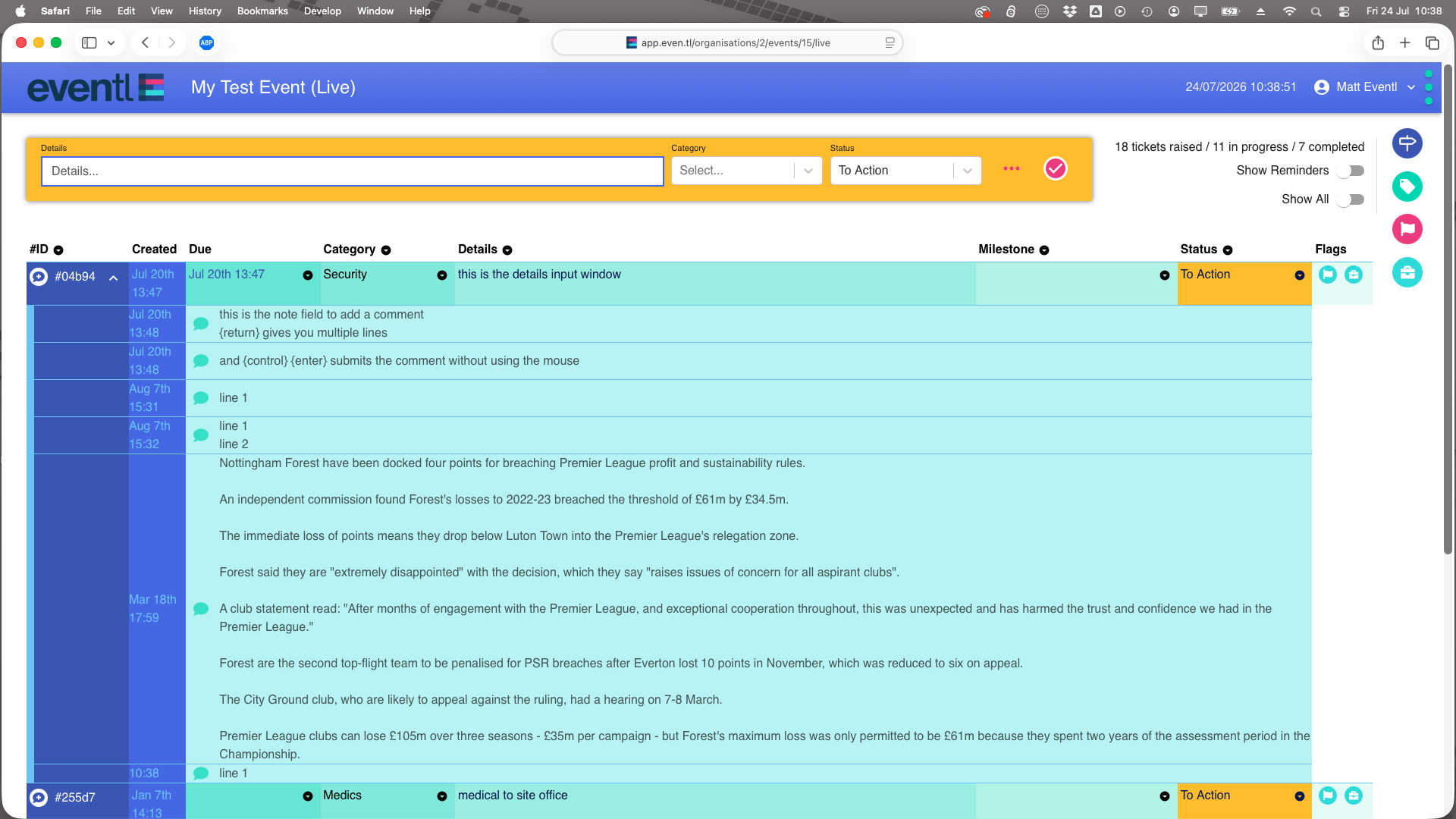
To enter your first log:
- [tab] or Click in the details box (if not already active);
- Key in your description (free-form text) and [tab];
- [down arrow] to show the category list, or start typing to auto-complete the category you want to use;
- [tab] and [down arrow] to select the status, then [enter] to create the log line
Or just [enter] to add the new log line with the default status (“to action”).
Optionally, you can click the flyout button "..." to reveal the extended details pane
- Connect the Log to an existing Milestone;
- Add a due date / time
As you create and update logs, they will appear in the main log list.
By default, all live logs are due now, unless you choose to enter a custom date/time