Adding to logs
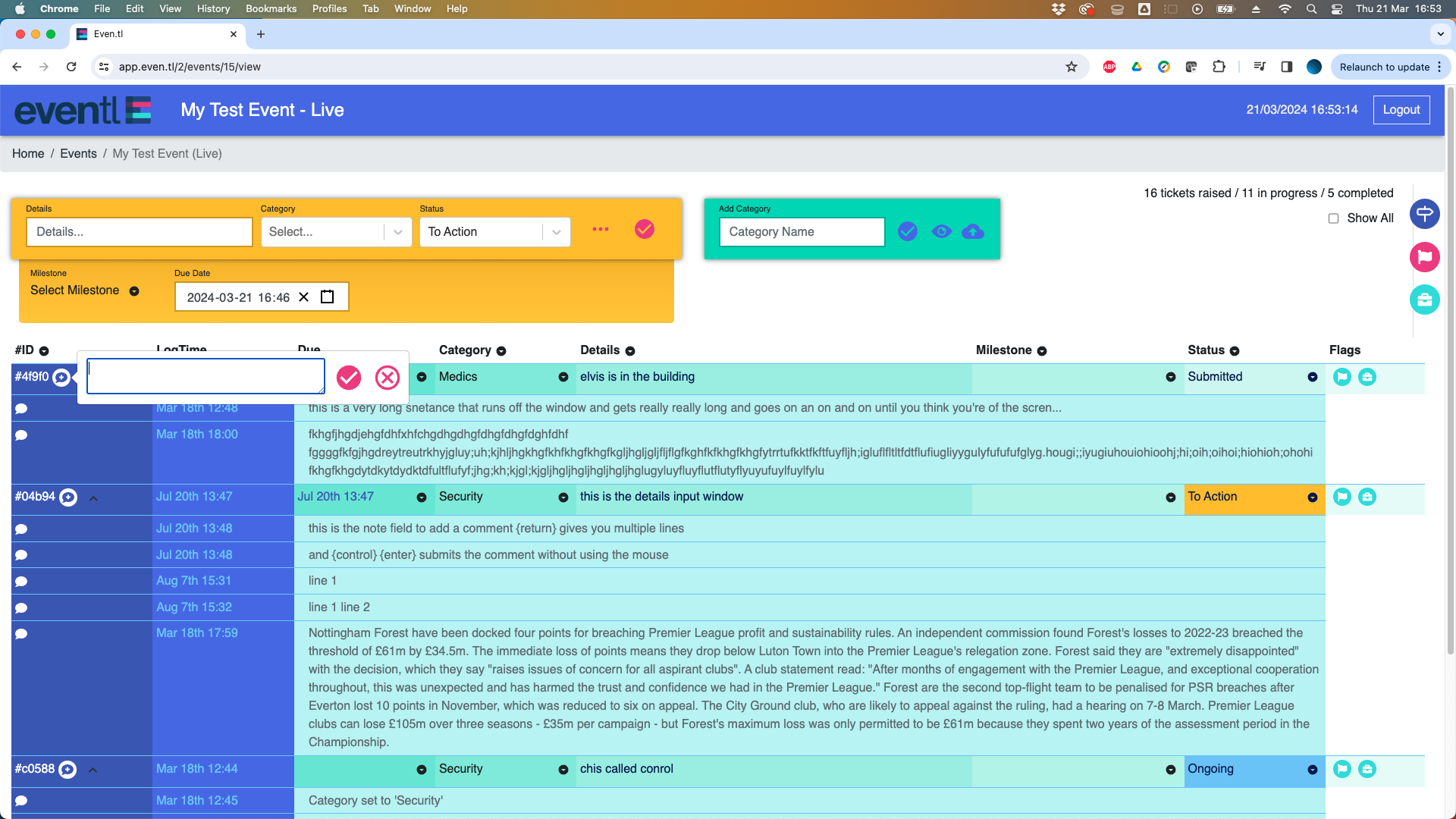 Although each log is locked and cannot be edited to any great extent, you can always add more information to the record as the situation develops.
To add additional information to a log line, click on the '+' symbol to the left and add the new information to the log line.
For quicker data entry, type free text, then hit [enter] for a new line, or [control] [enter] to add the comment.
The input box defaults to a single line, but for longer data input (such as incident reports), the box can be dragged out as large as required using the control tab on the bottom right of the text box.
To save screen space, linked logs can be hidden by clicking on the down arrow icon to collapse them into their log line. Click again to reveal the hidden lines.
Sub logs are always attached to their parent records, and listed in date order (of creation) unless you choose to sort them differently.
Once created, sub logs behave just like parent logs and can be filtered, sorted and searched in the same way
Adding notes and additional logs, refining information, updating categories and changing status all combine to give you a really powerful live view of a developing situation, whilst effortlessly preserving the integrity of the records.